
The Hidden Foundation of Great Rankings
You could have the best content on the internet. Brilliant ideas, well-written paragraphs, beautifully designed pages. But if the technical foundation of your website is broken, Google and other search engines will struggle to find, read, and rank your pages. Technical SEO is the hidden layer underneath your website that decides whether search engines can access and understand your content in the first place.
In 2025 and beyond, technical SEO has become even more important because AI-powered search systems are much more demanding. These systems not only need to crawl your site, they need to understand it deeply. A slow page, broken links, missing schema markup, or a confusing site structure can mean the difference between being ranked on the first page and being invisible. The technical quality of your website is no longer just an IT problem. It is a business problem.
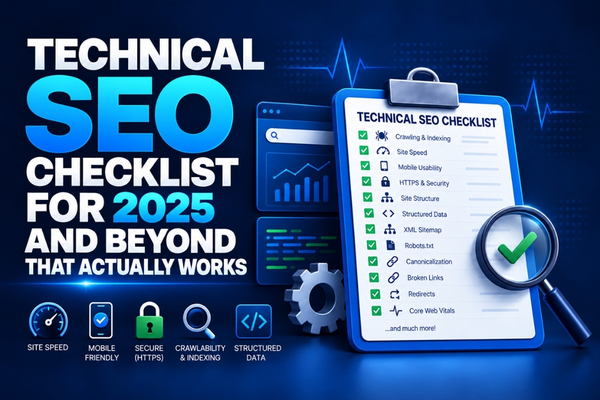
This checklist covers every major technical SEO area in a clear, step-by-step format. Whether you manage your own website or work with a developer, this guide will help you understand what needs to be checked, why it matters, and what to do when something is wrong. Let us start from the beginning.
What Is Technical SEO and Why Does It Matter in 2025?
Technical SEO refers to all the behind-the-scenes optimizations that help search engines crawl, index, and understand your website. Unlike content SEO (which focuses on what you write) and off-page SEO (which focuses on who links to you), technical SEO focuses on how your website is built and configured.
In 2025, technical SEO matters more than ever because:
- Google's AI systems (like Gemini and AI Overviews) need well-structured content to extract answers.
- Core Web Vitals (Google's page experience signals) are now direct ranking factors.
- Mobile-first indexing means Google ranks your site based on the mobile version.
- Slow websites are being penalized more harshly than before.
- Sites with technical errors lose trust with both search engines and AI tools.
Website Crawling and Indexing
Robots.txt: Telling Google Where to Go
Your robots.txt file tells search engine bots which pages to crawl and which to skip. A wrong setting in this file can accidentally block Google from crawling your entire website. Check your robots.txt file by visiting yourwebsite.com/robots.txt and make sure it does not block any important pages.
Quick Check:
- Visit yoursite.com/robots.txt and review the rules.
- Make sure your sitemap URL is listed in the file.
- Use Google Search Console to test your robots.txt rules.
XML Sitemap: Your Website's Road Map for Google
An XML sitemap is a file that lists all the important pages on your website. It helps search engines find and index your pages faster. Every website should have one and it should always be up-to-date.
Quick Check:
- Find your sitemap at yoursite.com/sitemap.xml.
- Submit it to Google Search Console under 'Sitemaps'.
- Make sure all your important pages are included.
- Remove pages that return 404 errors or have thin content.
Canonical Tags: Solving Duplicate Content Problems
If you have multiple pages with similar content (like product category pages, filter pages, or print versions), search engines may get confused about which one to rank. Canonical tags tell search engines which version of a page is the main one.
Core Web Vitals and Page Speed
What Are Core Web Vitals?
Core Web Vitals are three specific measurements that Google uses to judge the user experience of a web page. Getting a good score on these is now a real ranking factor.
| Core Web Vital | What It Measures | Good Score | How to Improve |
| LCP (Largest Contentful Paint) | How fast the main content loads | Under 2.5 seconds | Optimize images, use fast hosting, enable caching |
| FID / INP (Interaction to Next Paint) | How fast the page responds to user clicks | Under 200ms | Reduce JavaScript, use efficient code |
| CLS (Cumulative Layout Shift) | How much the page layout jumps around while loading | Under 0.1 | Set image dimensions, avoid late-loading ads |
Test your Core Web Vitals for free using Google PageSpeed Insights (pagespeed.web.dev) or Google Search Console’s ‘Core Web Vitals’ report.
Image Optimization: The Biggest Speed Killer
Large, unoptimized images are the number one cause of slow websites. A single image that is 5MB in size can make your page load 3-4 seconds slower. Here is how to fix it:
- Convert all images to modern formats like WebP or AVIF instead of JPEG or PNG.
- Compress images before uploading (use tools like TinyPNG or Squoosh).
- Use 'lazy loading' so images only load when the user scrolls to them.
- Add descriptive alt text to every image (this also helps with SEO and accessibility).
- Set explicit width and height for every image to prevent layout shifts.
Mobile Optimization
Mobile-First Indexing Is Now the Default
Google now uses the mobile version of your website as the primary version for indexing and ranking. This means if your mobile site is missing content, loads slowly, or is hard to use, your rankings will suffer even for users on desktop computers.
Mobile SEO Checklist:
- Use a responsive design that adjusts to all screen sizes.
- Text must be readable without zooming. Minimum 16px font size.
- Buttons and links must be large enough to tap easily.
- Avoid interstitial pop-ups that cover the main content on mobile.
- Test your mobile usability in Google Search Console under 'Mobile Usability'.
HTTPS and Website Security
Why HTTPS Is a Must in 2025
HTTPS (the ‘S’ stands for Secure) encrypts the connection between your visitor’s browser and your website. Google has used HTTPS as a ranking signal since 2014, but in 2025 it is absolutely non-negotiable. Websites without HTTPS are shown as ‘Not Secure’ by Chrome and other browsers, which kills visitor trust and drives people away.
- Check that your site uses https:// not http://.
- Ensure all pages redirect from http:// to https://.
- Check that your SSL certificate is valid and not expired.
- Avoid mixing http and https resources on the same page.
Structured Data (Schema Markup)
Why Schema Markup Is an AIO and SEO Power Tool
Structured data is code (written in JSON-LD format) that you add to your web pages to label what type of content is on the page. This helps both traditional search engines and AI systems understand and use your content more effectively.
The most important schema types for most businesses:
| Schema Type | Best For | What It Enables |
| LocalBusiness | Any local business | Can support local search and business information in search features |
| Article / BlogPosting | Blog posts and news | Helps search engines understand article content |
| FAQPage | Pages with FAQs | Helps search engines understand question-and-answer content |
| Product | E-commerce product pages | Can provide product details such as price and availability |
| Review / Rating | Businesses and products | Can provide review and rating information to search engines |
| HowTo | Tutorial and instructional content | Helps describe step-by-step instructions |
| BreadcrumbList | All types of websites | Helps search engines understand page hierarchy |
Site Architecture and Internal Linking
The 3-Click Rule
Every important page on your website should be reachable in 3 clicks or fewer from your homepage. If your pages are buried deep in your site structure, search engines may not crawl them as often, and users may never find them.
Internal Linking Best Practices
- Link from high-authority pages to pages you want to rank higher.
- Use descriptive anchor text (the clickable words in a link) that describes the target page.
- Make sure every page has at least 2-3 internal links pointing to it.
- Use breadcrumb navigation on every page.
- Find and fix orphan pages (pages with no internal links pointing to them).
Conclusion: Technical SEO Is an Ongoing Process, Not a One-Time Fix
Technical SEO is not something you do once and forget. Websites change, Google’s requirements evolve, and new AI-based ranking factors emerge regularly. The best approach is to run a technical SEO audit every 3 to 6 months to catch and fix problems before they affect your rankings.
Use this checklist as your starting point. Work through each section methodically. Not everything needs to be fixed at once. Focus first on the highest-impact items: page speed, mobile usability, HTTPS, and your sitemap. Then gradually work through the rest. A technically healthy website is the foundation that makes all your other SEO and content efforts much more effective.
Frequently Asked Questions (FAQs)
Technical SEO is the process of making sure the behind-the-scenes code and structure of your website are set up correctly so that search engines can find, crawl, and rank your pages properly.
Core Web Vitals are Google’s three measurements of page experience: loading speed (LCP), responsiveness (INP), and visual stability (CLS). Good scores on these help your pages rank higher in search results.
Use free tools like Google Search Console, Google PageSpeed Insights, and Screaming Frog (free version) to identify common technical SEO issues on your website.
Image optimization usually has the biggest impact on page speed. Convert images to WebP format, compress them, and use lazy loading to dramatically speed up your website.
Mobile-first indexing means Google uses the mobile version of your website as the main version for ranking. If your mobile site is poor quality, your rankings suffer on all devices.
A full technical SEO audit should be done every 3 to 6 months, or after any major website redesign, platform migration, or significant content update.
Related Posts
SEO vs GEO vs AEO vs AIO: Choose the Right Search Strategy for Your Business
SEO vs GEO vs AEO vs AIO: What's the Difference? Search visibility is no longer…
Best AI SEO Tools for GEO, AEO and AI Visibility in 2026
Best AI SEO Tools in 2026 for GEO, AEO and AI Visibility You Can Measure…
LLM SEO for Small Businesses: How to Get Cited by ChatGPT, Gemini and Perplexity
LLM SEO for Small Businesses: How to Get Cited by ChatGPT, Gemini and Perplexity Search…